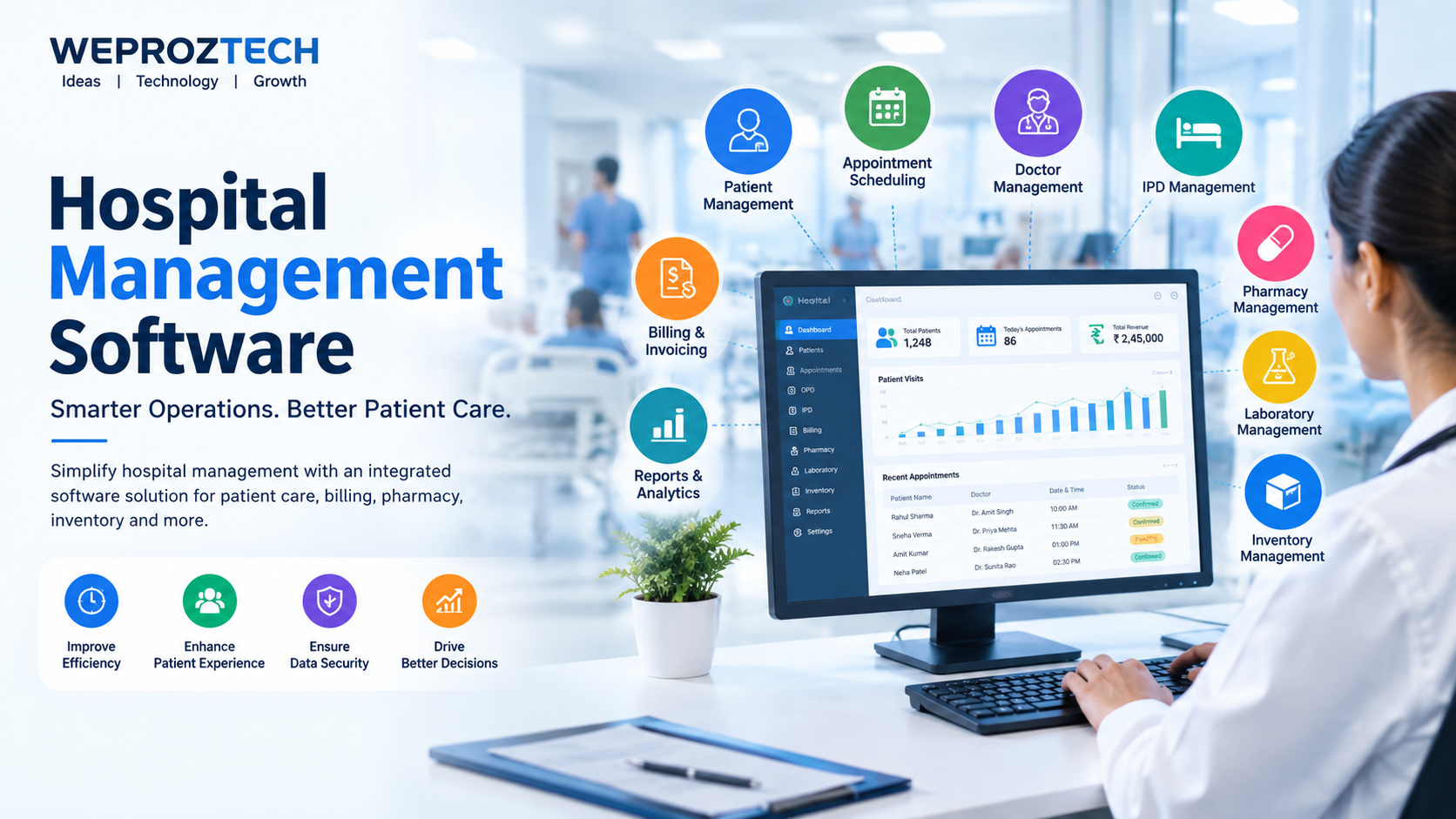
Hospital Management Software: Complete Guide for Modern Hospitals
Managing a hospital involves much more than providing medical care. Hospitals need to coordinate patients, doctors, appointments, billing, pharmacy, laboratory services, inventory, staff, records, reports, and administrative operations every day. Managing all these activities manually can consume significant time and increase the possibility of errors.
This is where hospital management software can make a significant difference.
Hospital management software is a digital solution designed to help hospitals, clinics, nursing homes, diagnostic centers, and healthcare organizations manage their day-to-day operations from a centralized system. From patient registration and appointment scheduling to billing, pharmacy management, inventory tracking, and reporting, the right hospital management system can streamline multiple workflows.
For hospitals looking to improve operational efficiency, reduce paperwork, organize information, and provide a better experience for patients and staff, implementing a reliable hospital management system can be an important step toward digital transformation.
What Is Hospital Management Software?
Hospital management software is a technology platform that helps healthcare organizations manage administrative, financial, and operational activities through a centralized digital system.
Instead of maintaining separate registers, spreadsheets, files, and disconnected applications, hospitals can use an integrated system to manage important information and workflows.
Depending on the software, a hospital management system may include modules such as:
-
Patient registration
-
Appointment management
-
Doctor management
-
OPD management
-
IPD management
-
Patient records
-
Billing and invoicing
-
Pharmacy management
-
Laboratory management
-
Inventory management
-
Staff management
-
Reports and analytics
-
Insurance and payment management
-
CRM and communication
-
Administrative management
The exact features can vary depending on the software provider and the requirements of the healthcare organization.
Why Do Hospitals Need Hospital Management Software?
Traditional hospital management often involves large amounts of paperwork and manual data entry. When patient numbers increase, managing these processes manually can become difficult.
A digital hospital management system can help centralize information and automate repetitive administrative tasks.
1. Reduce Manual Paperwork
Hospital employees may need to manage registration forms, invoices, prescriptions, reports, inventory records, and other documents.
Digitizing these workflows can reduce dependency on physical paperwork and make information easier to organize.
2. Improve Patient Management
A centralized system can help hospital staff maintain patient information and access relevant records when required.
This can make the registration and administrative process more organized.
3. Simplify Appointment Scheduling
Appointment management is an important part of hospital operations.
Software can help staff manage:
-
Doctor schedules
-
Patient appointments
-
Appointment history
-
Available time slots
-
Follow-up appointments
-
Cancellation and rescheduling
This can help reduce scheduling conflicts and improve coordination between patients and healthcare staff.
4. Streamline Hospital Billing
Billing is another important hospital operation.
Hospital billing software can help manage:
-
Consultation charges
-
Room charges
-
Diagnostic charges
-
Pharmacy bills
-
Procedure charges
-
Discounts
-
Payments
-
Invoices
-
Outstanding balances
Automating calculations and invoices can reduce the amount of repetitive manual work.
5. Improve Inventory Management
Hospitals need to maintain medical supplies, medicines, equipment, and other inventory.
A hospital management system with inventory functionality can help track stock levels, purchases, consumption, and availability.
This can be particularly useful for hospitals with multiple departments.
Key Features of Hospital Management Software
The best hospital management software should provide features that address the operational requirements of the organization.
Here are some of the most important features to consider.
Patient Registration and Management
Patient management is one of the core functions of a hospital software system.
The system can maintain information such as:
-
Patient name
-
Contact details
-
Registration information
-
Appointment history
-
Medical records
-
Billing information
-
Visit history
A centralized patient database can help authorized staff access relevant information more efficiently.
Appointment Management
Appointment scheduling allows hospitals and clinics to organize doctor availability and patient visits.
Important functionality may include:
-
Online appointment scheduling
-
Doctor availability
-
Appointment reminders
-
Rescheduling
-
Cancellation
-
Follow-up management
An organized appointment system can help improve workflow and reduce administrative workload.
OPD Management
Outpatient department management is an important component of hospital operations.
OPD functionality can help manage:
-
Patient registration
-
Doctor consultation
-
Visit records
-
Prescriptions
-
Follow-ups
-
Billing
IPD Management
For admitted patients, hospitals need to manage additional information related to admission and discharge.
IPD management may include:
-
Patient admission
-
Bed allocation
-
Room management
-
Doctor assignment
-
Treatment information
-
Discharge management
-
Billing
Doctor Management
Hospital software can help administrators manage doctor profiles, schedules, departments, appointments, and consultation-related information.
This can provide better visibility into doctor availability and hospital operations.
Hospital Billing and Invoicing
A hospital billing module can automate many financial processes.
It may support:
-
OPD billing
-
IPD billing
-
Pharmacy billing
-
Laboratory billing
-
Consultation charges
-
Room charges
-
Payment tracking
-
Invoice generation
-
Receipts
A properly configured billing system can help improve financial record management.
Pharmacy Management
Hospitals and clinics that operate pharmacies can integrate pharmacy management into their broader hospital software.
Pharmacy functionality may include:
-
Medicine inventory
-
Purchase management
-
Sales
-
Expiry tracking
-
Stock management
-
Billing
-
Supplier management
For pharmacies, specialized pharmacy software can also provide more detailed inventory and billing functionality.
Laboratory Management
A hospital management system may include laboratory-related functionality for managing diagnostic workflows.
Depending on the system, it can help with:
-
Test registration
-
Sample management
-
Test records
-
Report generation
-
Billing
-
Patient history
Inventory Management
Inventory management helps hospitals track medical supplies, medicines, equipment, and other items.
Important capabilities may include:
-
Stock tracking
-
Purchase orders
-
Supplier management
-
Stock transfers
-
Low-stock alerts
-
Expiry management
-
Inventory reports
Reports and Analytics
Data-driven decision-making is increasingly important for healthcare organizations.
Hospital management software can provide reports related to:
-
Patient visits
-
Revenue
-
Billing
-
Appointments
-
Pharmacy sales
-
Inventory
-
Doctors
-
Departments
-
Admissions and discharges
These reports can help administrators understand operational performance.
Benefits of Hospital Management Software
Implementing the right hospital management system can provide several operational benefits.
Better Operational Efficiency
Automation can reduce repetitive administrative tasks and allow staff to spend more time on important activities.
Centralized Information
Instead of maintaining information across multiple disconnected systems, hospitals can use a centralized platform to organize operational data.
Faster Access to Information
Digital records can make it easier for authorized users to find relevant information when needed.
Improved Billing Accuracy
Automated calculations and digital invoices can help reduce common manual billing errors.
Better Inventory Visibility
Real-time or regularly updated inventory information can help staff understand stock availability and requirements.
Improved Patient Experience
Faster registration, organized appointments, easier billing, and better coordination can contribute to a smoother patient experience.
Better Administrative Control
Hospital administrators can use reports and dashboards to monitor important operational activities.
Hospital Management Software for Small Hospitals
Hospital management software is not limited to large hospitals.
Small hospitals, nursing homes, clinics, and healthcare centers can also benefit from digital management solutions.
For a small healthcare organization, the most important features may include:
-
Patient registration
-
Appointment management
-
Billing
-
Doctor management
-
Pharmacy
-
Inventory
-
Reports
-
Patient records
A scalable system allows organizations to start with essential modules and expand functionality as their requirements grow.
Hospital Management Software in India
The healthcare sector in India is increasingly adopting digital technologies to improve operational efficiency and information management.
Hospitals may have different requirements depending on their size, location, specialties, patient volume, and operational structure.
When choosing hospital management software in India, organizations should consider factors such as:
-
Ease of use
-
Scalability
-
Data security
-
Module availability
-
Customization
-
Technical support
-
Integration capabilities
-
Pricing
-
Training and onboarding
-
Reporting functionality
Healthcare organizations should also evaluate whether the software and its implementation practices are appropriate for applicable legal, regulatory, privacy, and security requirements.
For example, organizations handling digital health information should consider India's applicable data-protection and healthcare requirements.
How Much Does Hospital Management Software Cost in India?
The cost of hospital management software can vary significantly.
There is no single price that applies to every hospital because pricing may depend on:
-
Number of users
-
Number of departments
-
Number of locations
-
Required modules
-
Customization
-
Cloud or on-premise deployment
-
Integration requirements
-
Support requirements
-
Data migration
-
Training
-
Maintenance
A small clinic may require only basic patient and billing functionality, while a multi-department hospital may require a comprehensive system with pharmacy, laboratory, inventory, IPD, analytics, and other modules.
Therefore, hospitals should compare the total cost of ownership rather than choosing software only on the basis of the initial price.
Cloud-Based vs On-Premise Hospital Management Software
Hospitals can generally evaluate cloud-based and on-premise deployment models.
Cloud-Based Hospital Software
Cloud-based software is hosted on remote infrastructure and accessed through the internet.
Potential advantages include:
-
Easier remote access
-
Reduced local infrastructure requirements
-
Centralized updates
-
Scalability
-
Easier multi-location access
However, organizations should carefully evaluate internet dependency, vendor security practices, data protection, backups, and access controls.
On-Premise Hospital Software
On-premise software is installed and managed within the organization's own infrastructure.
Potential advantages may include greater control over infrastructure and deployment.
However, the organization may need to manage:
-
Servers
-
Backups
-
Security
-
Software updates
-
Maintenance
-
IT infrastructure
The right deployment model depends on the hospital's technical resources, budget, security requirements, and operational needs.
How to Choose the Best Hospital Management Software
Choosing the right hospital management system requires more than comparing feature lists.
1. Identify Your Requirements
Create a list of the hospital's current operational challenges.
Determine which modules are essential and which are optional.
2. Evaluate Ease of Use
Software should be easy enough for administrators, reception staff, doctors, billing teams, pharmacy staff, and other authorized users to understand.
3. Check Scalability
Choose a system that can support future growth.
Consider whether you can add:
-
More users
-
More departments
-
More branches
-
More modules
-
More patients
4. Evaluate Security
Healthcare organizations handle sensitive information.
Ask vendors about:
-
User authentication
-
Role-based access
-
Data encryption
-
Backups
-
Audit logs
-
Security monitoring
-
Data retention
-
Incident response
5. Check Integration Options
A modern hospital may use multiple systems.
Check whether the software can integrate with other relevant platforms and services.
6. Evaluate Technical Support
Reliable technical support is important because hospital operations can depend on software availability.
Ask about:
-
Support channels
-
Response times
-
Software updates
-
Training
-
Maintenance
-
Troubleshooting
7. Request a Demo
Before purchasing, request a demonstration and test the workflows relevant to your organization.
Hospital Management Software vs Manual Hospital Management
| Factor | Manual Management | Hospital Management Software |
|---|---|---|
| Patient records | Paper/files | Digital records |
| Appointment scheduling | Manual | Digital scheduling |
| Billing | Manual calculations | Automated workflows |
| Inventory | Registers/spreadsheets | Centralized tracking |
| Reporting | Time-consuming | Automated reports |
| Data access | Physical documents | Authorized digital access |
| Scalability | Difficult | Easier to scale |
| Administrative workload | Higher | Potentially lower |
The goal of hospital software is not simply to replace paper. It is to create more organized and connected workflows across the healthcare organization.
Why Data Security Matters in Hospital Software
Healthcare data can contain highly sensitive information.
Therefore, security should be considered a core requirement when selecting hospital management software.
Hospitals should evaluate:
-
Strong authentication
-
Role-based permissions
-
Secure data transmission
-
Encryption
-
Regular backups
-
Access logs
-
Secure hosting
-
Software updates
-
Disaster recovery
-
Privacy controls
Organizations should also ensure that their implementation follows applicable laws and regulations.
For broader information about India's digital personal data framework, organizations can refer to the official Digital Personal Data Protection Act, 2023 resources from the Government of India.
Future of Hospital Management Software
Hospital technology is evolving rapidly.
Future hospital management systems are likely to place greater emphasis on:
-
Artificial intelligence
-
Data analytics
-
Cloud computing
-
Telemedicine
-
Mobile applications
-
Patient portals
-
Automation
-
Interoperability
-
Digital health records
-
Predictive analytics
AI and analytics can potentially help healthcare organizations identify patterns in operational data, automate repetitive workflows, and support administrative decision-making.
However, healthcare organizations should implement such technologies responsibly, with appropriate human oversight, privacy protections, security controls, and validation.
Why Choose Weproztech for Hospital Management Software?
Choosing the right technology partner is an important decision for any healthcare organization.
Weproztech provides software development and ERP solutions designed to help businesses and organizations digitize their workflows.
For hospitals and healthcare organizations, a software solution can be designed around specific operational requirements rather than forcing every organization into the same workflow.
Depending on requirements, a healthcare management solution can bring areas such as patient management, appointments, billing, pharmacy, inventory, reporting, and administration into a more organized digital workflow.
If your hospital is planning to move from manual processes to a digital hospital management system, discuss your requirements with the Weproztech team and evaluate which modules are appropriate for your organization.
Conclusion
Hospital management software can help healthcare organizations organize their daily operations, reduce repetitive administrative work, improve information management, and create more efficient workflows.
From patient registration and appointment scheduling to billing, pharmacy, inventory, laboratory management, and reporting, an integrated hospital management system can connect multiple operational areas through a centralized platform.
However, the best solution depends on the individual requirements of each hospital. Before choosing software, organizations should evaluate features, scalability, usability, security, integrations, support, deployment options, and total cost.
For hospitals planning their digital transformation journey, investing in the right healthcare technology can be an important step toward more organized and efficient operations.
Frequently Asked Questions
What is hospital management software?
Hospital management software is a digital system that helps hospitals manage administrative and operational activities such as patient registration, appointments, billing, pharmacy, inventory, laboratory services, and reporting.
What are the main features of hospital management software?
Common features include patient management, appointment scheduling, OPD/IPD management, billing, pharmacy management, laboratory management, inventory management, doctor management, reporting, and administration.
Is hospital management software suitable for small hospitals?
Yes. Small hospitals, clinics, and nursing homes can use hospital management software to digitize important processes such as patient registration, appointments, billing, inventory, and reporting.
How much does hospital management software cost in India?
The cost depends on factors such as the number of users, required modules, customization, deployment model, integrations, support, and hospital size. A customized quotation is generally more useful than a fixed industry-wide price.
What is the difference between hospital management software and hospital ERP?
Hospital management software focuses primarily on healthcare operational workflows. Hospital ERP can provide broader enterprise-level management, potentially connecting areas such as finance, HR, inventory, procurement, and other organizational functions.
Can hospital management software manage pharmacy operations?
Yes. Many hospital management systems include pharmacy modules for medicine inventory, purchases, sales, billing, suppliers, and expiry tracking.
Is hospital management software secure?
Security depends on the software architecture, hosting environment, configuration, vendor practices, and organizational controls. Hospitals should evaluate authentication, authorization, encryption, backups, audit logs, privacy controls, and applicable regulatory requirements before implementation.
Can hospital management software be customized?
Many modern healthcare software solutions can be customized according to an organization's workflows, departments, integrations, and reporting requirements.
What should hospitals check before buying hospital management software?
Hospitals should evaluate features, usability, scalability, security, integrations, customization, technical support, deployment options, training, data migration, and total cost of ownership.