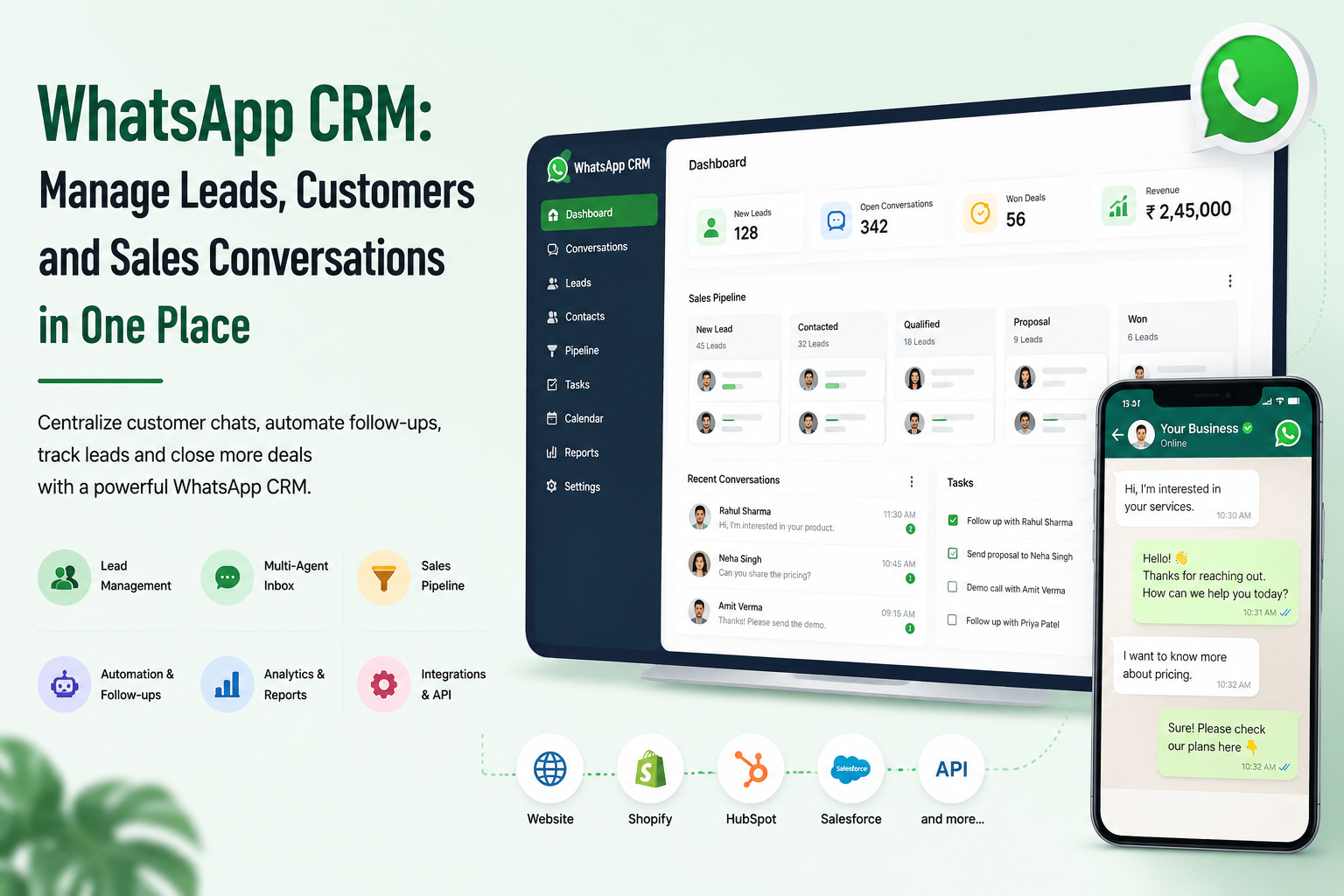
Turn WhatsApp Conversations Into an Organized Sales and Customer Management System
WhatsApp has become an important communication channel for businesses. Customers use it to ask questions, enquire about products or services, request quotations, share requirements, and continue conversations before making a purchase.
However, managing a growing number of conversations directly through a standard messaging interface can become difficult. Sales enquiries may get missed, customer details may remain scattered across different chats, follow-ups may be delayed, and managers may have limited visibility into the overall sales process.
A WhatsApp CRM helps businesses organize these conversations and connect WhatsApp communication with customer records, leads, sales pipelines, team workflows, and business automation.
WEPROZTECH develops custom software, CRM, ERP and workflow automation solutions for businesses that need technology tailored around their actual processes. Its ERP and CRM solutions also include WhatsApp and SMS automation capabilities.
A custom WhatsApp CRM can help your business:
- Capture leads from WhatsApp conversations
- Create centralized customer records
- Manage multiple sales agents
- Track enquiry and follow-up status
- Assign leads to team members
- Build sales pipelines
- Automate notifications and workflows
- Connect website leads with WhatsApp
- Integrate approved WhatsApp Business Platform APIs
- Maintain conversation history
- Monitor sales activity
- Connect CRM data with other business systems
Manage Every Conversation. Track Every Lead. Improve Every Follow-Up.
✓ WhatsApp Lead Management
✓ Multi-Agent Team Inbox
✓ Customer & Contact Management
✓ Sales Pipeline Tracking
✓ Automated Follow-Ups
✓ WhatsApp Business API Integration
✓ CRM & Database Integration
✓ Custom Workflow Automation
Build Your Custom WhatsApp CRM
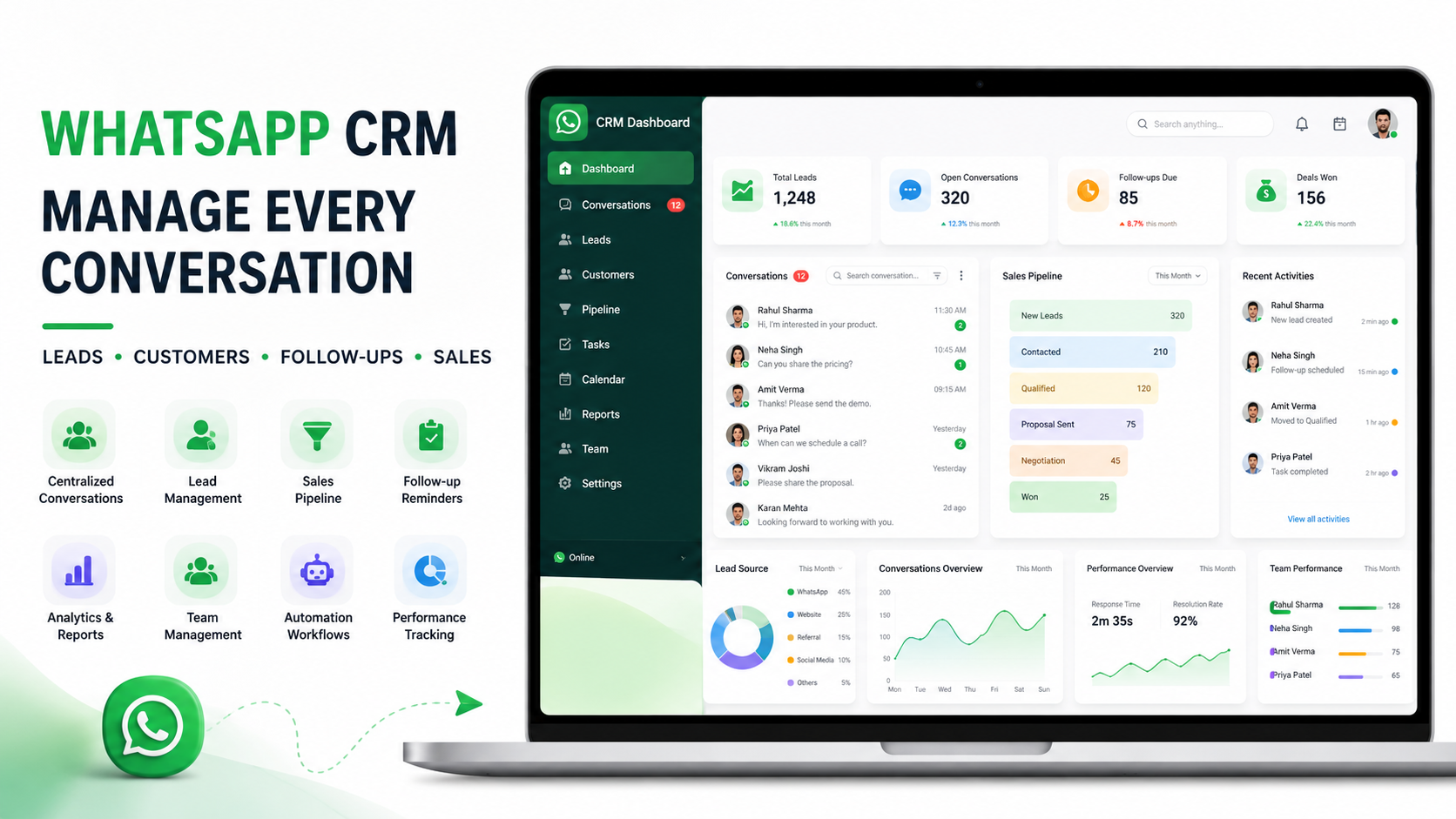 What Is a WhatsApp CRM?
A WhatsApp CRM is a customer relationship management system that connects business communication on WhatsApp with lead, customer, sales, and workflow management.
Instead of treating every WhatsApp chat as an isolated conversation, the CRM can associate conversations with customer records and business processes.
For example, when a potential customer sends a message, a WhatsApp CRM may allow your team to:
- Identify the customer or create a new lead.
- Store relevant contact information.
- Record the customer's requirement.
- Assign the conversation to a sales representative.
- Add the lead to a sales pipeline.
- Schedule or automate follow-ups.
- Track the complete conversation history.
- Update the lead status until the enquiry is closed.
This is similar to the broader concept of lead management, where businesses capture, qualify, route, nurture and track potential customers through the sales process.
Why Businesses Need a WhatsApp CRM
As enquiry volume grows, manually managing conversations becomes increasingly difficult.
A sales team may receive messages from:
- Website visitors
- Google Ads campaigns
- Social media campaigns
- Organic website traffic
- Existing customers
- Referrals
- Product enquiries
- Service enquiries
- Repeat customers
Without a centralized system, important information can remain inside individual employee chats or become difficult to track.
A WhatsApp CRM system creates a more structured process around these conversations.
Common Problems Without WhatsApp CRM Software
Businesses often face issues such as:
- Leads getting lost in chat history
- Delayed follow-ups
- No clear ownership of enquiries
- Multiple team members contacting the same lead
- Limited visibility for managers
- Customer data stored across different platforms
- Difficulty tracking lead sources
- No structured sales pipeline
- Limited reporting
- Employees manually copying information into spreadsheets
A custom CRM can reduce this fragmentation by connecting communication with a structured database and workflow.
For businesses requiring a broader CRM or ERP architecture, explore WEPROZTECH Custom ERP & CRM Solutions.
How Does a WhatsApp CRM Work?
A typical WhatsApp CRM workflow can look like this:
Customer → WhatsApp → Business API → Webhook → CRM → Lead Assignment → Follow-Up → Sales Pipeline
When a customer sends a message, the system can receive relevant messaging events and process them according to the application's business logic.
The CRM may then:
- Search for an existing contact
- Create a new lead if required
- Store conversation information
- Assign an agent
- Trigger a notification
- Update lead status
- Start an automation workflow
- Record sales activity
Meta's WhatsApp Cloud API is designed to enable businesses to communicate at scale and can be integrated with backend systems such as CRM and marketing platforms.
For developers and businesses planning a custom integration, refer to the WhatsApp Cloud API documentation.
WhatsApp CRM vs Regular WhatsApp Business App
The regular WhatsApp Business app can be useful for smaller businesses handling a limited number of conversations.
However, businesses with multiple agents, high enquiry volumes, structured sales processes, or custom automation requirements may need additional capabilities.
| Feature | WhatsApp Business App | WhatsApp CRM |
|---|---|---|
| Basic customer messaging | ✓ | ✓ |
| Centralized lead database | Limited | ✓ |
| Sales pipeline | Limited | ✓ |
| Multi-agent management | Limited | ✓ |
| Lead assignment | Limited | ✓ |
| Custom automation | Limited | ✓ |
| CRM integration | Limited | ✓ |
| Advanced reporting | Limited | ✓ |
| Custom business workflows | Limited | ✓ |
| Database integration | Limited | ✓ |
The exact functionality depends on the CRM architecture, WhatsApp integration method, permissions and APIs being used.
WhatsApp CRM for Lead Management
One of the most useful applications of a WhatsApp CRM is lead management.
A potential customer may begin with a simple message:
“I need a quotation.”
Instead of leaving this conversation unorganized, the CRM can help your team turn it into a structured lead.
Example Lead Management Workflow
New WhatsApp Message
↓
Lead Created or Existing Customer Identified
↓
Requirement Collected
↓
Lead Assigned to Sales Executive
↓
Lead Qualification
↓
Sales Pipeline Updated
↓
Follow-Up Scheduled
↓
Deal Won or Lost
A structured lead management process helps businesses maintain context around each enquiry and track the customer journey across multiple interactions.
Information a WhatsApp CRM Can Capture
Depending on the system design, your CRM may store:
- Customer name
- WhatsApp number
- Email address
- Company name
- Product or service interest
- Budget range
- Project requirement
- Lead source
- Assigned sales representative
- Conversation history
- Follow-up date
- Lead status
- Notes and internal comments
This information can help sales teams understand the context before contacting a prospect.
Multi-Agent WhatsApp CRM for Sales Teams
A growing business may have multiple people handling customer enquiries.
For example:
- Sales executives
- Customer support representatives
- Account managers
- Managers
- Administrators
A multi-agent WhatsApp CRM can provide a centralized environment where conversations can be assigned and managed based on your business workflow.
Possible Multi-Agent Features
- Shared team inbox
- Agent assignment
- Conversation ownership
- Internal notes
- Lead reassignment
- Department routing
- Role-based access
- Conversation status
- Team performance reporting
- Customer history
For custom applications requiring role-based access and centralized business operations, WEPROZTECH also builds tailored ERP systems with role segregation and workflow automation.
WhatsApp CRM for Customer Management
A good CRM should not only store leads. It should help maintain a complete customer relationship.
A WhatsApp conversation can be connected with a customer profile containing relevant information such as:
- Previous enquiries
- Past conversations
- Orders or projects
- Support requests
- Sales activity
- Assigned account manager
- Internal notes
- Follow-up history
This gives your team more context when a customer contacts the business again.
Instead of asking the customer to repeat the same information, an authorized team member can view the relevant history available within the CRM.
WhatsApp Sales CRM and Pipeline Management
Sales teams often need to know exactly where every potential customer stands.
A WhatsApp Sales CRM can organize leads into stages such as:
New Lead
A new enquiry has been received and requires initial review.
Contacted
A team member has responded to the customer.
Qualified
The lead meets the defined business criteria.
Requirement Discussed
The customer's requirement has been collected and reviewed.
Proposal Sent
A quotation or proposal has been shared.
Follow-Up
The sales team is waiting for a response or continuing the conversation.
Won
The customer has completed the purchase or confirmed the project.
Lost
The opportunity was not converted.
Your business may require completely different stages. That is why a custom WhatsApp CRM can be designed around your existing sales process instead of forcing your team to follow a generic structure.
WhatsApp CRM Automation
A WhatsApp CRM becomes more powerful when communication is connected with automation.
Depending on the approved messaging setup and your business workflow, automation can perform specific actions after an event occurs.
Example WhatsApp CRM Automation
Customer sends a WhatsApp message
↓
CRM identifies or creates a lead
↓
System categorizes the enquiry
↓
Lead is assigned to the appropriate team
↓
Sales executive receives a notification
↓
Customer requirement is stored
↓
Follow-up activity is created
↓
Manager can monitor lead progress
Other possible automation workflows include:
- New lead notifications
- Agent assignment
- Follow-up reminders
- Lead scoring
- Status-based workflows
- CRM data updates
- Website-to-WhatsApp lead capture
- Appointment requests
- Support ticket creation
- Internal notifications
WEPROZTECH's custom ERP and workflow solutions include automated notification and WhatsApp/SMS workflow capabilities as part of broader business automation architectures.
WhatsApp Business API Integration With CRM
For advanced business messaging and custom software integration, a WhatsApp CRM may be built around the WhatsApp Business Platform and supported APIs.
The official Cloud API enables businesses to build messaging workflows and connect WhatsApp communication with backend systems, including CRM and marketing platforms.
A Typical Integration Architecture
Customer
↓
↓
WhatsApp Business Platform
↓
Webhook / Backend API
↓
Custom CRM
↓
Database
↓
Sales Team / Support Team / Automation
The backend application can process incoming events and apply your business logic.
For example, the system may decide:
- Is this an existing customer?
- Should a new lead be created?
- Which department should receive the enquiry?
- Should the lead be marked as high priority?
- Should a follow-up be created?
- Should another connected system be updated?
The implementation should follow the permissions, authentication and technical requirements of the relevant Meta platform documentation. WhatsApp Cloud API setups can involve a business portfolio, WhatsApp Business Account and registered business phone number.
External Reference
For official technical information, use the Meta WhatsApp Cloud API overview.
Custom WhatsApp CRM Development
Every business has a different sales process.
A real estate company may need property requirements and site visit scheduling.
An education business may need course enquiries and counsellor assignment.
A healthcare platform may need enquiry routing and appointment-related workflows.
An e-commerce business may need order-related customer communication.
A service company may need quotation requests, project requirements and follow-up tracking.
Because of these differences, businesses may choose custom WhatsApp CRM development.
A Custom WhatsApp CRM Can Include
- Custom dashboard
- Lead management
- Contact management
- WhatsApp conversation interface
- Multi-agent inbox
- Sales pipeline
- Follow-up management
- Lead assignment
- Role-based access
- Internal notes
- Customer activity history
- API integrations
- Webhook processing
- Automation workflows
- Reporting dashboard
- Custom database architecture
- Admin panel
WEPROZTECH builds custom web portals and business software with backend APIs, relational data pipelines and workflow-focused architecture.
WhatsApp CRM for Website Lead Generation
Your website may receive visitors who are interested in your products or services but do not want to complete a traditional contact form.
A WhatsApp integration can provide an alternative communication channel.
For example:
Website Visitor
↓
Clicks “Chat on WhatsApp”
↓
Starts Conversation
↓
Requirement Collected
↓
Lead Added to CRM
↓
Assigned to Sales Team
↓
Follow-Up Managed
This approach can connect your website development and customer communication strategy.
If you are planning a new business website with custom lead workflows, explore WEPROZTECH's web and custom portal development services.
WhatsApp CRM With Mobile Applications
A custom CRM does not have to remain limited to a desktop dashboard.
Depending on your requirements, sales representatives and managers may need mobile access to selected CRM features.
Possible mobile capabilities include:
- Lead notifications
- Customer information
- Follow-up reminders
- Sales pipeline access
- Lead status updates
- Task management
- Internal notifications
WEPROZTECH provides mobile application development services for Android and iOS-oriented business applications using cross-platform and native technologies.
WhatsApp CRM Integration With Other Business Systems
A custom WhatsApp CRM can be connected with systems already used by your organization.
Possible Integrations
- Business websites
- Web applications
- Mobile applications
- Custom ERP software
- Lead management systems
- Sales dashboards
- Customer support systems
- Databases
- Calendar systems
- Email platforms
- Payment workflows
- Internal APIs
- Analytics systems
The purpose of integration should be practical: reduce duplicate work, improve data flow and provide useful context to the team.
For businesses requiring a centralized ERP and CRM architecture, see WEPROZTECH ERP & CRM Solutions.
WhatsApp CRM for Different Industries
WhatsApp CRM for Real Estate
Real estate businesses can use a CRM to capture property enquiries, record buyer requirements, assign sales representatives and manage site visit follow-ups.
WhatsApp CRM for Education and Coaching Institutes
Education businesses can manage student enquiries, course interest, counsellor assignment and admission follow-ups.
A customized workflow can also be connected with broader education management systems.
WhatsApp CRM for Healthcare Platforms
Healthcare businesses may require structured routing for approved platform support, appointment-related enquiries and customer communication.
WhatsApp CRM for E-commerce Businesses
E-commerce businesses can organize customer queries, product enquiries, order-related communication and support requests.
WhatsApp CRM for Service Businesses
Agencies, consultants and service providers can capture project requirements, qualify leads, assign sales representatives and track proposals.
WhatsApp CRM for Retail Businesses
Retail businesses can organize product enquiries, customer requests, follow-ups and repeat customer communication.
Key Features to Look for in WhatsApp CRM Software
Before selecting or developing a WhatsApp CRM, consider the features your business actually needs.
Centralized Customer Database
Store customer and lead information in an organized system.
Lead Management
Capture, qualify, assign and track potential customers.
Multi-Agent Access
Allow authorized team members to manage conversations.
Sales Pipeline
Track leads from first enquiry to conversion.
Follow-Up Management
Create reminders and activities so important opportunities are not forgotten.
Conversation History
Maintain relevant communication history associated with the customer record.
Automation
Trigger defined actions based on events and workflow conditions.
Role-Based Access
Control which users can access specific features or information.
Reporting
Monitor lead activity, sales progress and operational metrics.
API Integrations
Connect the CRM with websites, applications, databases and other business systems.
WhatsApp CRM vs Traditional CRM
A traditional CRM can store leads, contacts, activities and sales opportunities.
A WhatsApp CRM adds WhatsApp communication as an important part of that workflow.
| Traditional CRM | WhatsApp CRM |
|---|---|
| Stores customer records | Stores customer records |
| Tracks sales activity | Tracks sales activity |
| Manages leads | Manages leads |
| Supports follow-ups | Supports follow-ups |
| May require separate communication tools | Connects WhatsApp communication with CRM workflows |
| Customer context may be fragmented | Conversation history can be associated with CRM records |
| Generic workflow | Can be customized around messaging workflows |
Many businesses may also combine WhatsApp functionality with an existing CRM rather than replacing their entire system.
Benefits of Using a WhatsApp CRM
Faster Lead Response
New enquiries can be identified and routed to the appropriate team member.
Better Follow-Up Management
Sales teams can maintain structured follow-up activities instead of relying only on memory or manual chat searches.
Centralized Customer Information
Relevant customer details can be organized within one authorized system.
Improved Team Collaboration
Sales and support teams can work with shared processes and clearer ownership.
Better Sales Visibility
Managers can monitor pipeline stages, activities and lead status.
Reduced Manual Data Entry
Integrations and automation can reduce repetitive copying of information between systems.
Scalable Communication Workflows
A structured architecture can support growing teams and more complex processes.
How to Choose the Right WhatsApp CRM for Your Business
There is no single WhatsApp CRM that is perfect for every business.
Before choosing a platform or building custom software, consider the following.
What Is Your Main Objective?
Do you primarily need:
- Lead management?
- Customer support?
- Sales automation?
- Multi-agent communication?
- Follow-up tracking?
- CRM integration?
- Complete business automation?
How Many Team Members Will Use the System?
A single-user setup has very different requirements from a sales team with multiple departments.
Do You Need Custom Integrations?
Your business may already use:
- An ERP
- A website
- A mobile application
- A database
- A lead management system
The WhatsApp CRM should integrate where it provides real operational value.
Do You Need Custom Workflows?
If your sales process is unique, generic CRM software may require your team to change its workflow.
A custom solution can instead be designed around your existing process.
WhatsApp CRM Development Process
1. Business Requirement Analysis
We identify your:
- Sales process
- Customer journey
- Lead sources
- Team structure
- Existing systems
- Required integrations
- Automation opportunities
2. CRM Architecture and Planning
The system structure is planned around:
- User roles
- Database design
- Lead flow
- Customer records
- Conversation handling
- API architecture
- Automation logic
3. UI and Dashboard Design
The interface may include:
- Lead dashboard
- Conversation management
- Customer profiles
- Sales pipeline
- Follow-up tasks
- Reports
- Admin controls
4. WhatsApp Integration
The technical integration is developed according to the relevant supported APIs, authentication requirements and messaging rules.
5. Backend and Database Development
The backend can handle:
- Webhooks
- CRM records
- Lead creation
- Conversation processing
- Automation logic
- API communication
- User authentication
6. Testing
The system is tested for:
- Message processing
- Lead creation
- Assignment workflows
- API integration
- Database operations
- User permissions
- Error handling
7. Deployment
The application can be deployed to suitable cloud infrastructure based on the project requirements.
WEPROZTECH also provides cloud and NVMe hosting infrastructure as part of its technology services.
8. Continuous Improvement
After launch, workflows can be improved based on:
- Sales team feedback
- Customer behaviour
- Lead conversion patterns
- New integration requirements
- Operational changes
WhatsApp CRM Pricing and Development Cost
The cost of a WhatsApp CRM depends on the project requirements.
A simple lead dashboard will have very different requirements from a complete custom CRM with:
- Multi-agent access
- WhatsApp Business Platform integration
- Custom automation
- Sales pipeline
- Mobile applications
- ERP integration
- Advanced reporting
- AI chatbot capabilities
- Multiple third-party APIs
Factors That Affect WhatsApp CRM Development Cost
- Number of users
- Number of customer conversations
- Required features
- WhatsApp API architecture
- Third-party integrations
- Database complexity
- Automation workflows
- Admin dashboard requirements
- Mobile app requirements
- Hosting infrastructure
- Maintenance requirements
If you also want to understand the API and messaging side of the implementation, you can read the official WhatsApp Business Platform documentation.
For a broader discussion around your specific project architecture, you can contact WEPROZTECH's technical team.
WhatsApp CRM and AI Automation
A modern CRM can potentially combine structured customer data with AI-powered workflows.
Depending on the business requirements, AI may assist with:
- Enquiry categorization
- Lead qualification
- Information retrieval
- Conversation assistance
- Internal knowledge access
- Suggested responses
- Workflow routing
- Report generation
The important part is defining clear permissions and business logic. AI should be connected only to approved data sources and workflows appropriate for the application.
WEPROZTECH also covers AI and automation capabilities within its broader technology and software development offerings.
Why Choose WEPROZTECH for Custom WhatsApp CRM Development?
A WhatsApp CRM should fit the way your business actually works.
WEPROZTECH focuses on custom software, CRM, ERP, web applications and workflow automation designed around business requirements. Its services include custom web portals, enterprise ERP systems, mobile applications and WhatsApp/SMS automation capabilities.
Custom Development
Your CRM can be designed around your sales process, team structure and operational workflow.
Integration-Focused Architecture
The system can be planned to work with relevant websites, APIs, databases and internal business platforms.
Scalable Technology
Architecture can be designed with future users, additional modules and integrations in mind.
End-to-End Development
From planning and UI design to backend development, testing and deployment, the project can be handled through a structured development process.
Business Automation
The goal is not simply to create another dashboard. The focus is on connecting communication, customer data and business workflows
Frequently Asked Questions About WhatsApp CRM
A WhatsApp CRM is a customer relationship management system that connects WhatsApp communication with customer records, leads, sales activities, follow-ups and business workflows.
Yes. Depending on the CRM architecture and the available supported APIs, WhatsApp communication can be integrated with CRM and other backend systems. Meta's Cloud API documentation describes use cases involving CRM and marketing platform integrations.
Yes. A WhatsApp CRM can help businesses capture enquiries, create customer records, assign leads, manage follow-ups and track progress through a sales pipeline.
A custom CRM can be designed with multiple user accounts, roles, permissions, lead assignment and centralized workflow management.
Depending on the messaging setup, permissions and business workflow, a CRM can automate or schedule defined actions and reminders.
Yes. Website forms, chat entry points and other lead-generation workflows can be integrated with a custom CRM.
Yes. If the relevant systems provide the required technical interfaces, CRM and ERP data can be integrated to support connected workflows.
It depends on your requirements. Ready-made software may be suitable for standard workflows, while custom development can be useful when your business requires specific processes, integrations or functionality.
The cost depends on features, users, integrations, automation requirements, database architecture and the overall complexity of the project.
Build a WhatsApp CRM That Fits Your Business
WhatsApp conversations can contain valuable customer enquiries, sales opportunities and support requests. Without a structured process, that information can become difficult to manage as your business grows.
A custom WhatsApp CRM can connect conversations with:
- Lead management
- Customer records
- Sales pipelines
- Team assignment
- Follow-ups
- Automation
- Reporting
- Websites
- Mobile applications
- ERP and other business systems
Ready to Build Your Custom WhatsApp CRM?
Tell us how your business currently manages WhatsApp enquiries, leads and customer conversations.
Our team can help you plan a CRM architecture based on your workflow and required integrations.
Let's turn WhatsApp conversations into an organized business process.
Get a Free Consultation
Discuss Your WhatsApp CRM Project
Request a Custom Development Quote
For project discussions, visit WEPROZTECH Contact Page.